Is MangaFire Down? How to Check and Fix It Fast
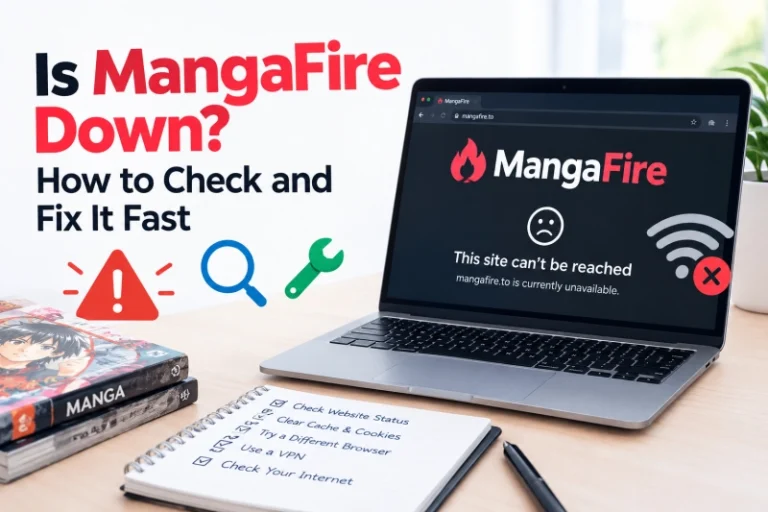
If you’re asking “is MangaFire down,” the quickest way to find out is to load the site on a second device using a different network, like your phone…
Status, October 2026: mangafire.to is the domain the r/Mangafire community points to. Ignore lookalike "mirror" domains in search results.
Quick access. Always type the address yourself or use this link. Search ads and copycat domains are the #1 way readers end up on malware-heavy clones.
The best MangaFire digital reader setup takes about five minutes. Pick the right reader layout for what you're reading, drop image quality on mobile data, log in so your history syncs, and put an ad-blocker in front of everything.
This directory covers every step, from the latest insights to the tools below: a reading roadmap, a live reader simulator, a cache calculator, a searchable error database, a genre layout matrix, and a five-stage safety audit. Written by hand and checked on Android, iPhone, and desktop.
> launched
2023
Copyright year on the site footer
> catalog
30,000+
Titles, as stated by the site
> update_cycle
Hourly
Advertised refresh for new chapters
> community
17k
Members on r/Mangafire
Latest Tactical Insights
New articles from the MangaFire Hub blog: the six most recent posts on reader settings, safety and troubleshooting.
 Blog
Blog
If you’re asking “is MangaFire down,” the quickest way to find out is to load the site on a second device using a different network, like your phone…
Reading Matrix · Optimization timeline
These five actions are how you read free manga with safe settings that also look good. Do them in order: click any step to see exactly what to do, then tick the tasks as you finish them. Your progress is saved in this browser.
0 / 15 tasks
Cache Optimizer · Data compression mechanics
Three systems decide whether a chapter feels instant or painful: how the reader caches a vertical strip, how images get compressed and decoded, and where your reading history is stored. Once you understand them, every setting below makes sense.
A webtoon chapter isn't one image. It's a tall strip, often 40,000 to 70,000 pixels high, cut into 30 to 90 slices so phones can handle it. Load all of them at once and a 4G connection chokes for 20 seconds before you see anything.
So good readers load progressively. They fetch the slice on screen, then the next two or three below it, and nothing else. As you scroll, a "look-ahead window" keeps moving down the strip. Slices you've passed stay in the browser cache, so scrolling back up costs zero data.
Here's the part most guides skip. On an aggregator, the reader controls the queue but not the server. Images come from third-party hosts. If chapter 12 loads in a second and chapter 13 crawls, chapter 13 is on a slower host. Clearing your cache won't fix that. Waiting 10 minutes often will.
A clean scan starts life as a PNG or high-quality JPEG of 800 KB to 2 MB per page. That's sharp, and it's heavy. A 50-page chapter can pass 60 MB.
Modern formats fix most of that. WebP typically cuts a manga page to a third of its JPEG size with no difference you'd see on a 6-inch screen. AVIF goes further, though older phones decode it more slowly. Black-and-white line art compresses especially well because large areas are pure white.
Decoding is the hidden cost. Your phone has to unpack each image into raw pixels before drawing it. A 1,000 × 15,000 pixel webtoon slice needs about 60 MB of memory once decoded. That's why low-end Android phones sometimes show blank white gaps: the browser drops decoded images to save RAM, then re-decodes them as you scroll back.
Two places, and the difference matters. Logged out, your history, bookmarks, and "continue reading" position sit in your browser's local storage. That data lives on one device, in one browser. Clear site data and it's gone for good.
Logged in, the same list saves to your account on the server. Open the site on any device, sign in, and your list comes back. This is the single biggest reason to make the free account, even if you never use any other feature.
Long chapters are where phones struggle. An 80-page color chapter decoded at full size can ask for 1.5 GB or more of memory if every page stays in RAM. Browsers handle this by throwing away decoded images you've scrolled past, which is what you see as a white flash when you scroll back up.
A true memory leak is different. That's when the tab keeps getting slower the longer you read, even on short chapters, because something is never released. After two hours of webtoons in one tab, it's common for a mobile browser to slow to a crawl or reload the page on its own.
Cached images live on your device until the browser decides to evict them. On a phone with 64 GB of storage that's rarely a problem. On a 32 GB phone that's 90% full, a big reading cache is often why the camera says "storage almost full".
A healthy reading cache sits between 100 MB and 600 MB. Past 1 GB, clear cached images (not cookies) and your history stays intact.
Reading Matrix · Reader tray simulator
Use this simulated reader tray to test manhwa vertical scrolling customization against classic page layouts. The preview, the performance readout, and the system log all change to show what each setting does.
LAYOUT MATRIX
IMAGE PROFILE
FILTER LAYER
per chapter
24 MB
sharpness
100
first page
1.9 s
Estimates for a 60-image chapter on a 10 Mbps 4G connection.
Quick rule: manhwa and manhua → Vertical. Japanese manga → Double Spread on desktop, single page on phone, right-to-left. Mobile data → Data Saver. Wi-Fi → Lossless.
SYSTEM LOG
Genre Database · Layout rules
Each category is drawn for a different format, and that decides the right reader mode. Filter by origin to compare.
| Category | Format & direction | Typical chapter | Best reader mode | Layout traits | Well-known examples |
|---|---|---|---|---|---|
| Shōnen JP · teen boys | B&W pages, right to left | ~19 pages, weekly | Single / dual page | Big diagonal action panels, speed lines, bold sound effects, frequent full-page splashes and two-page spreads. | One Piece, Jujutsu Kaisen |
| Seinen JP · adult men | B&W pages, right to left | 30–50 pages, monthly | Dual page, Lossless | Denser panels, heavy cross-hatching and screentone, longer dialogue. Detail is the point, so keep quality high. | Berserk, Vinland Saga |
| Shōjo JP · teen girls | B&W pages, right to left | 30–40 pages, monthly | Single page | Borderless panels, floating inner-monologue text, flower and sparkle screentones that blur fast at low quality. | Fruits Basket, Ouran High School Host Club |
| Josei JP · adult women | B&W pages, right to left | 25–40 pages, monthly | Single page | Quieter pacing, realistic proportions, conversation-heavy pages with small lettering. Bump contrast slightly. | Nana, Honey and Clover |
| Webtoon (manhwa) KR · all ages | Full color vertical strip, top to bottom | 40–80 panels, weekly | Continuous vertical | Drawn on a canvas about 690–800 px wide. White space between panels is timing: a long gap is a pause. Never use page mode. | Solo Leveling, Tower of God |
| Print manhwa KR · older titles | B&W pages, left to right | 25–35 pages | Single page, LTR | Pre-2010 Korean comics follow book layout but read left to right. Set the reader to LTR or panels play backwards. | Priest, Ragnarok |
| Manhua CN · all ages | Color, mostly vertical, top to bottom | 30–60 panels, often 2–3× weekly | Continuous vertical | Heavy digital painting, glowing effects, cultivation and martial-arts power displays. Color-heavy, so the data cost per chapter is high. | Tales of Demons and Gods, The King's Avatar |
Japanese books open from what Western readers call the back. Panels flow from the top-right corner across and down to the bottom-left. Artists build every page around that path, so a punch thrown on the right lands on the left.
Read a shōnen fight left to right and the choreography runs backwards. That's why the reader's direction setting matters more than any filter. Two-page spreads are the other reason: in dual page mode, the right-hand page has to show first, or a single panel splits into the wrong order.
A webtoon episode is drawn as one long column for phone thumbs. Artists control pace with empty space. A cliff fall might be 3,000 pixels of sky with a tiny figure, so you scroll for two seconds and feel the drop.
Page mode chops that column into fixed rectangles and kills the timing. Gaps get cropped, panels split across "pages", and dialogue lands out of order. Any vertical title, Korean or Chinese, belongs in continuous scroll.
Core Safety · Security auditor terminal
Independent scanners haven't flagged mangafire.to itself as malicious. The risk sits around it: pop-under ads from third-party image hosts, copycat domains, and accounts that share an email with your bank. The two biggest gains come from a no-logs VPN and the optimal ad-block configuration for manga index sites. Switch on everything that's true for you right now.
OPTIMAL SETUP SCORE
0%
🔥 Optimal Setup Secured! Your system-level reader profile is completely bulletproof.
TECHNICAL LAYOUT REPORT
| LAYER | THREAT BLOCKED | RE-CHECK |
|---|---|---|
| Ad shield | Pop-unders, scam redirects | Monthly filter update |
| VPN tunnel | IP logging by image hosts | On every new network |
| Sandbox profile | Cross-site cookie tracking | After browser updates |
| Alias identity | Credential reuse after a breach | Yearly password change |
| Genuine source | Lookalike domains, trojan APKs | Every time you search |
Residual risk: low. No setup removes it fully. A zero-day browser bug or a clicked phishing link can still get through, so keep the OS and browser on automatic updates.
Core Safety · Global error handling database
This is our full reference for fixing MangaFire server errors, broken images, and cache problems. Search by symptom or error code, or filter by type. Each entry lists what you see, what's actually going wrong, and the fix in order. Start at step 1; most problems end there.
No match. Try a shorter term like "timeout" or "blank", or check r/Mangafire for a live outage.
Device Installation
This is our MangaFire APK Android guide, and the honest answer comes first: there's no verified official app. The site doesn't link to an official native app, and none of the store or APK listings using the name is confirmed as run by the site's team. The safest "app" is the website pinned to your home screen. It opens full-screen, updates itself, and can't carry a hidden payload.
| Procedure | Android | iOS / iPadOS |
|---|---|---|
| Recommended install | SAFEST
|
SAFEST
|
| If you sideload an APK | ONLY IF YOU MUST
|
AVOID
|
| Cache & storage |
|
|
| Keeping history safe |
|
|
FAQ
Short, direct answers. Tap a question to open it.
Mostly, with precautions. Independent scanners have not flagged mangafire.to itself as malicious, but readers report occasional pop-ups from third-party image hosts. Use an ad-blocker, stay on the real domain, and never install APKs from mirror sites.
It sits in a legal grey area. The site links to fan scanlations that are often unlicensed, and copyright rules vary by country. Enforcement usually targets sites rather than readers, but official platforms like MANGA Plus and Webtoon are the fully legal option.
No verified official app exists for Android or iOS. Store and APK listings using the name are not confirmed as run by the site. The safest option is adding the website to your home screen from Chrome or Safari.
Usually it is a temporary outage or a slow image host. Check r/Mangafire for downtime reports, then make sure your ad-blocker is not blocking the image domain. Clearing cached images (not cookies) fixes stuck pages.
Create a free account and log in on every device. Logged out, history is stored only in your current browser and disappears if you clear site data. Logged in, it syncs from the server.
Use vertical scroll for Korean manhwa and Chinese manhua, which are drawn as tall strips. Use right-to-left single page for Japanese manga on phones, and double page on wide screens so spreads line up.
For licensed reading, MANGA Plus and K MANGA carry official Japanese releases, and Webtoon and Tapas carry official manhwa. MangaDex is a community-hosted alternative. To follow series across all of them, AniList or MyAnimeList works as a MangaFire alternatives tracking console: one list, every source.